IoT
5
min read

Manufacturing Mobile App Development: Key Features for Factory Use

Written by
Gengarajan PV
Published on
July 11, 2025

The Strategic Guide to Manufacturing Mobile App Development in America

For American manufacturers, a custom mobile app is a strategic tool that delivers ROI by providing real-time operational visibility, reducing costly errors, and empowering frontline workers with data, directly from the factory floor.

Essential Types of Manufacturing Mobile Apps

1. Operations & Production Management

These apps provide real-time visibility into the factory floor to ensure production stays on schedule.

  • Manufacturing Execution Systems (MES) Apps: Used for real-time tracking and management of factory floor activities, including orders, materials, and equipment.
  • Production Scheduling Apps: Allow managers to create product "recipes," prioritize manufacturing orders, and monitor tasks in progress.
  • Workforce Management Apps: Used for tracking employee attendance, team scheduling, and clocking in/out via mobile devices.

2. Maintenance & Quality Control

Essential for reducing downtime and ensuring product standards.

  • Predictive Maintenance Apps: Integrated with IoT sensors to monitor machine health (vibration, temperature) and predict failures before they occur.
  • Quality Inspection Apps: Digital checklists that allow workers to capture photos and log defects instantly, often supporting offline data collection for environments with poor Wi-Fi.
  • Equipment Audit Apps: Mobile forms for routine safety checks and asset status tracking (e.g., wear and tear on forklifts or machinery).

3. Inventory & Supply Chain Management

These apps automate stock tracking and improve logistics transparency.

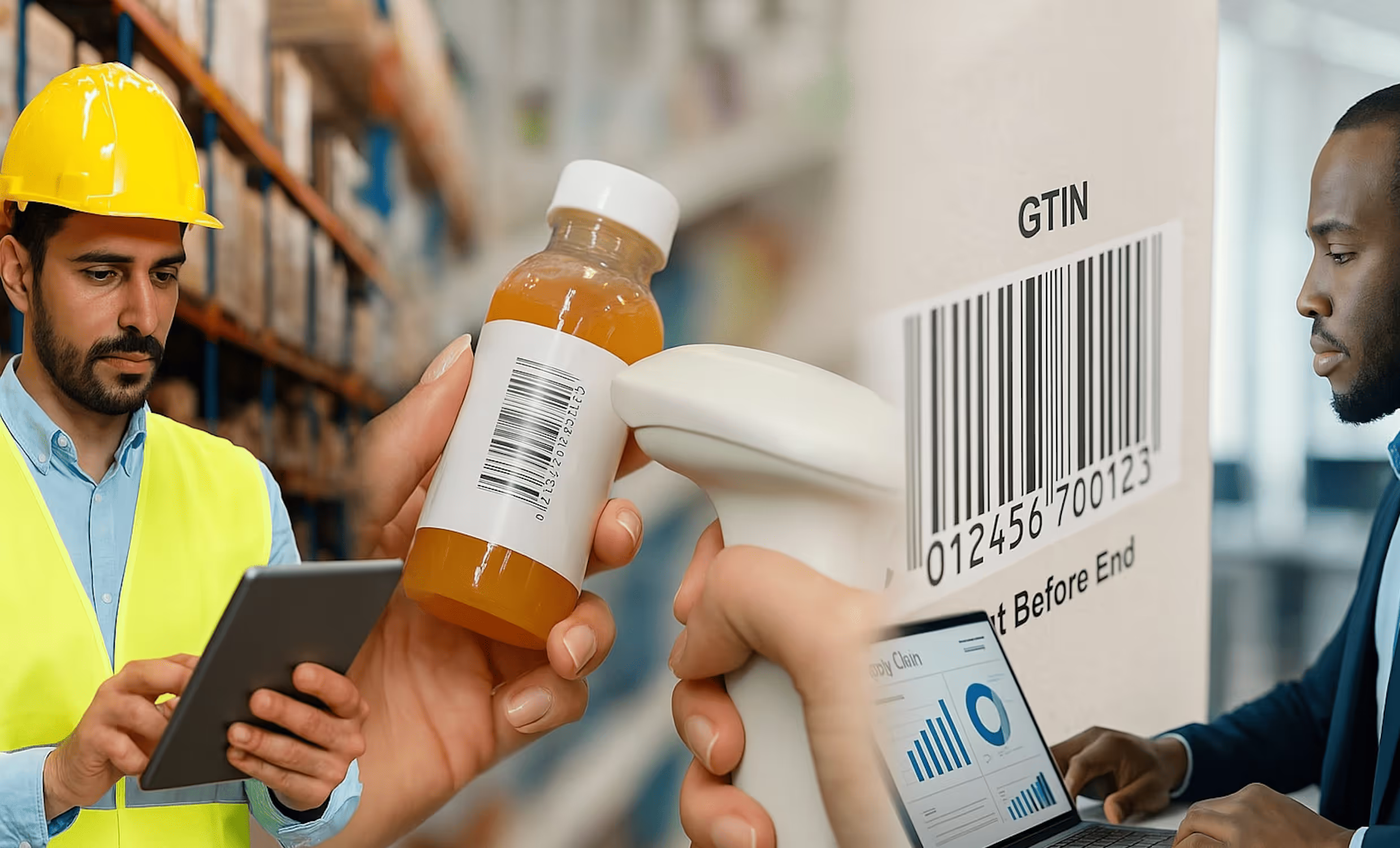
  • Inventory Tracking Apps: Enable real-time stock updates using mobile barcode or RFID scanning to prevent overstocking or stockouts.
  • Supply Chain & Logistics Apps: Used by managers to track the location of raw materials and finished goods in transit via GPS.
  • Warehouse Management (WMS) Apps: Optimize space utilization and simplify the tracing of specific parts or equipment within a facility.

4. Advanced & Emerging Tech Apps

Modern apps are increasingly incorporating Industry 4.0 technologies.

  • IoT Dashboards: Mobile interfaces that visualize data from connected machinery, providing real-time alerts and remote control capabilities.
  • AR-Enabled Training/Maintenance: Augmented Reality (AR) apps that overlay digital instructions on physical equipment to assist technicians with complex repairs.
  • AI Analytics Apps: Apps that process large datasets to provide actionable insights into production efficiency and cost reduction.

Essential Manufacturing Mobile App Features for 2026

  • Offline Mode: Critical for ensuring workers can record data without a constant Wi-Fi connection.
  • ERP Integration: Seamless data flow between the mobile app and enterprise systems like SAP, Oracle, or NetSuite.
  • Barcode/RFID Scanning: Built-in tool for fast, accurate data capture of parts and products.

Table: Key Manufacturing Mobile App Types and Their Primary Benefits

App Type Core Function Primary Benefit for U.S. Manufacturers
Production Monitoring Real-time dashboards of OEE, output, bottlenecks Faster decision-making, increased throughput
Inventory Management Barcode scanning, real-time stock updates Reduced carrying costs, eliminated stock-outs
Predictive Maintenance IoT sensor integration, maintenance alerts Minimized unplanned downtime, longer asset life
Quality Control Digital inspections, photo capture, audit trails Consistent product quality, simplified compliance
Safety Management Hazard reporting, digital checklists, alerts Reduced workplace incidents, stronger safety culture

The Real Cost of Manufacturing App Development in America

One of the most common questions from American manufacturers is, “What will this cost?”

The answer, like a custom piece of machinery, depends entirely on your specifications.

Based on current market data, you should plan your investment within the following frameworks:

  • Simple, Single-Function App: (e.g., a basic inspection checklist app) can range from $40,000 to $100,000.
  • Moderately Complex App: (e.g., an integrated inventory scanner with offline sync) typically falls between $100,000 and $200,000.
  • Advanced, Multi-Feature Platform: (e.g., a full production suite with IoT data, analytics, and ERP integration) often requires $200,000 to $400,000+.

Your budget is allocated across distinct, critical phases:

  1. Discovery & Planning (5-10%): This is the foundational blueprint. We define your precise goals, user needs, and technical requirements. Skipping this is building on sand.
  2. UI/UX Design (10-15%): We design intuitive, rugged interfaces for factory-floor use. This phase creates wireframes and prototypes to ensure the app will be adopted by your team.
  3. Development (50-70%): The largest phase, where the app is built. A key decision here is choosing between native development (best performance, separate iOS/Android builds) and cross-platform development (single codebase for both, often using frameworks like Flutter, which can reduce costs by 20-40%).
  4. Testing & QA (10-15%): We rigorously test for functionality, security, and performance, especially for critical offline operation in low-connectivity environments.
  5. Deployment & Support (2-5%+): Launching to app stores and providing ongoing maintenance, which typically costs 15-20% of the initial build annually.

Navigating Key Challenges in Manufacturing App Development

The factory floor is a unique environment. Success requires anticipating and solving these inherent challenges:

  • Integrating with Legacy Systems: Many American manufacturers run on decades-old ERP or MES systems. A skilled development partner will use secure APIs and middleware to create bridges for data flow without requiring a risky, full-system overhaul.
  • Ensuring Offline Functionality: Wi-Fi and cellular signals are unreliable around heavy machinery. A non-negotiable feature for any manufacturing app is robust offline operation, allowing data capture anywhere with automatic sync when connectivity resumes.
  • Driving User Adoption: A technically perfect app will fail if workers don’t use it. The solution lies in the design phase: involving end-users in testing and creating simple, intuitive interfaces that make their jobs easier, not harder.
  • Guaranteeing Enterprise Security: Industrial data is sensitive. Your app must implement enterprise-grade security: encrypted data, secure login protocols (like multi-factor authentication), and compliance with relevant industry standards.

The Future-Proof Manufacturing App: AI and Emerging Trends

To protect your investment, your app should be built on a foundation that can integrate emerging technologies.

For American manufacturers looking to lead, these are the key trends:

  • AI and Machine Learning: Moving beyond buzzwords, AI in manufacturing apps provides predictive insights (forecasting machine failure or inventory needs), computer vision for automated quality checks, and intelligent process optimization.
  • Augmented Reality (AR): AR overlays digital instructions onto physical machinery, guiding technicians through complex repairs or assembly processes, drastically reducing errors and training time.
  • Voice Interface: In hands-busy environments, voice commands allow workers to log data, request information, or run checks without touching a screen, enhancing both safety and efficiency.
  • 5G and IoT Integration: The high speed and low latency of 5G will unlock the full potential of the Industrial IoT, enabling real-time analytics from thousands of sensors for unprecedented control.
FAQs
What is manufacturing mobile app development?
Manufacturing mobile app development is the process of designing and building mobile applications that streamline production, inventory, quality control, and workforce management for manufacturing companies.
Why do manufacturers need mobile apps?
Manufacturers use mobile apps to improve efficiency, enable real-time monitoring, reduce downtime, and provide workers with instant access to data and communication tools on the factory floor.
What features should a manufacturing mobile app include?
Key features include inventory tracking, equipment monitoring, workflow management, quality control checklists, predictive maintenance alerts, and integration with ERP or IoT systems.
How much does it cost to develop a manufacturing mobile app?
The cost depends on the complexity of features, platform (iOS, Android, or both), integration needs, and security requirements. Simple apps may cost less, while advanced apps with IoT or ERP integration can require higher investment.
Can manufacturing mobile apps integrate with existing systems?
Yes, modern manufacturing apps are built to integrate with ERP, MES, CRM, and IoT platforms, ensuring seamless data flow and improved decision-making across the production process.
Popular tags
IoT
Let's Stay Connected

Accelerate Your Vision

Partner with Hakuna Matata Tech to accelerate your software development journey, driving innovation, scalability, and results—all at record speed.